
Live Performance
More prominent visuals for live streams and recordings.
Connect a camera and a MIDI digital piano to generate key lights, falling notes, particles, and theory overlays as you play. Effects adjust around hand regions to keep fingering visible.
Requires macOS 12 or later
On your Mac, open the App Store and search for “Visiano.”
Visiano includes a starting setup for each. Once inside, you can keep adjusting effects, colors, and theory panels.
More prominent visuals for live streams and recordings.
Note names, chords, and other theory overlays for teaching.
A balance of visuals and theory for regular practice.
Already recording lessons or streams with a Mac, MIDI digital piano, and camera? Keep your current overhead setup and OBS workflow—no dedicated camera or physical light strip required.
Students can see real fingering alongside key feedback, note names, chords, and staff notation. Each panel can be shown, hidden, or repositioned as needed.
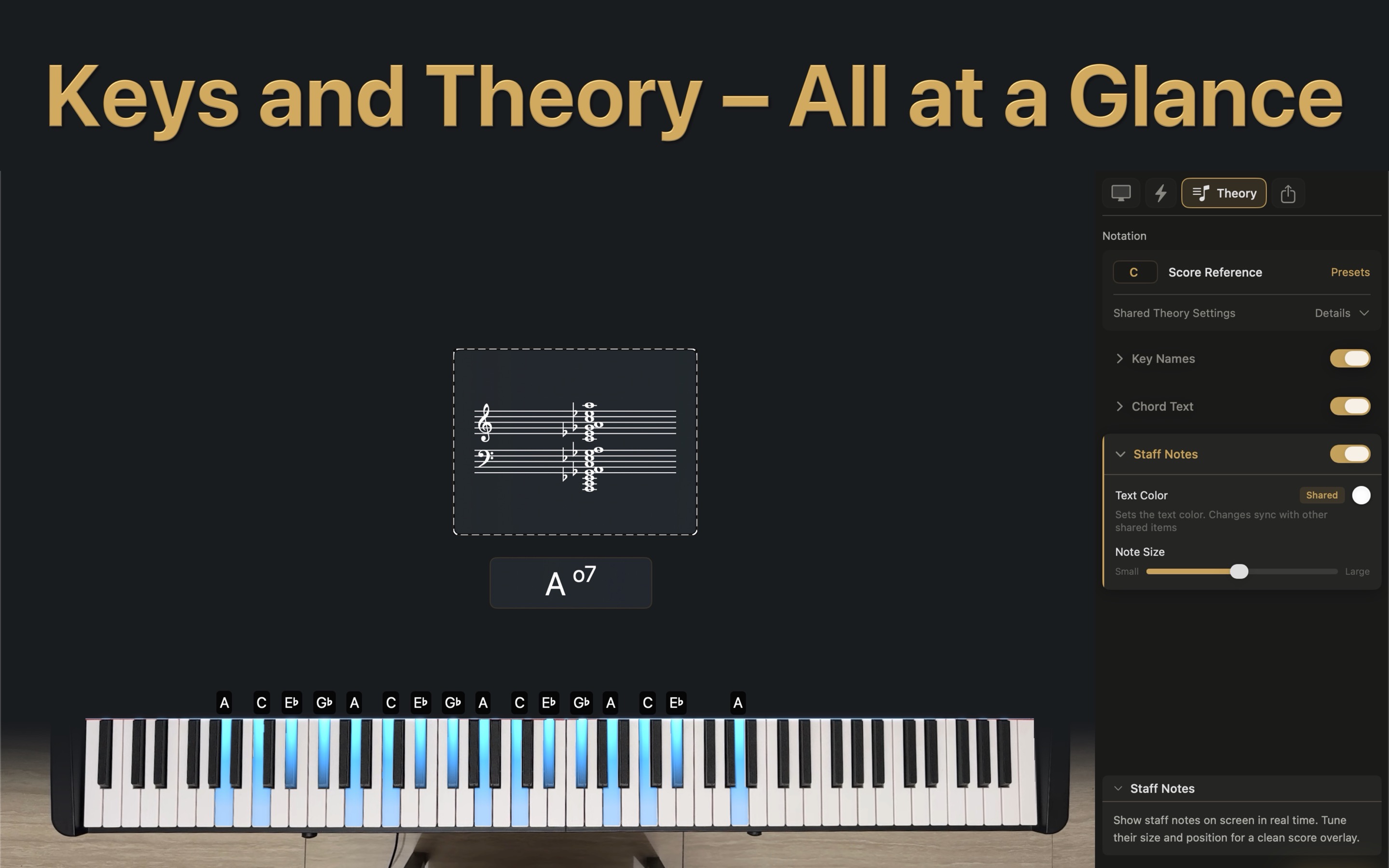
Key lights, falling notes, particles, and theory overlays appear during the performance, reducing the need to build those effects frame by frame in post.
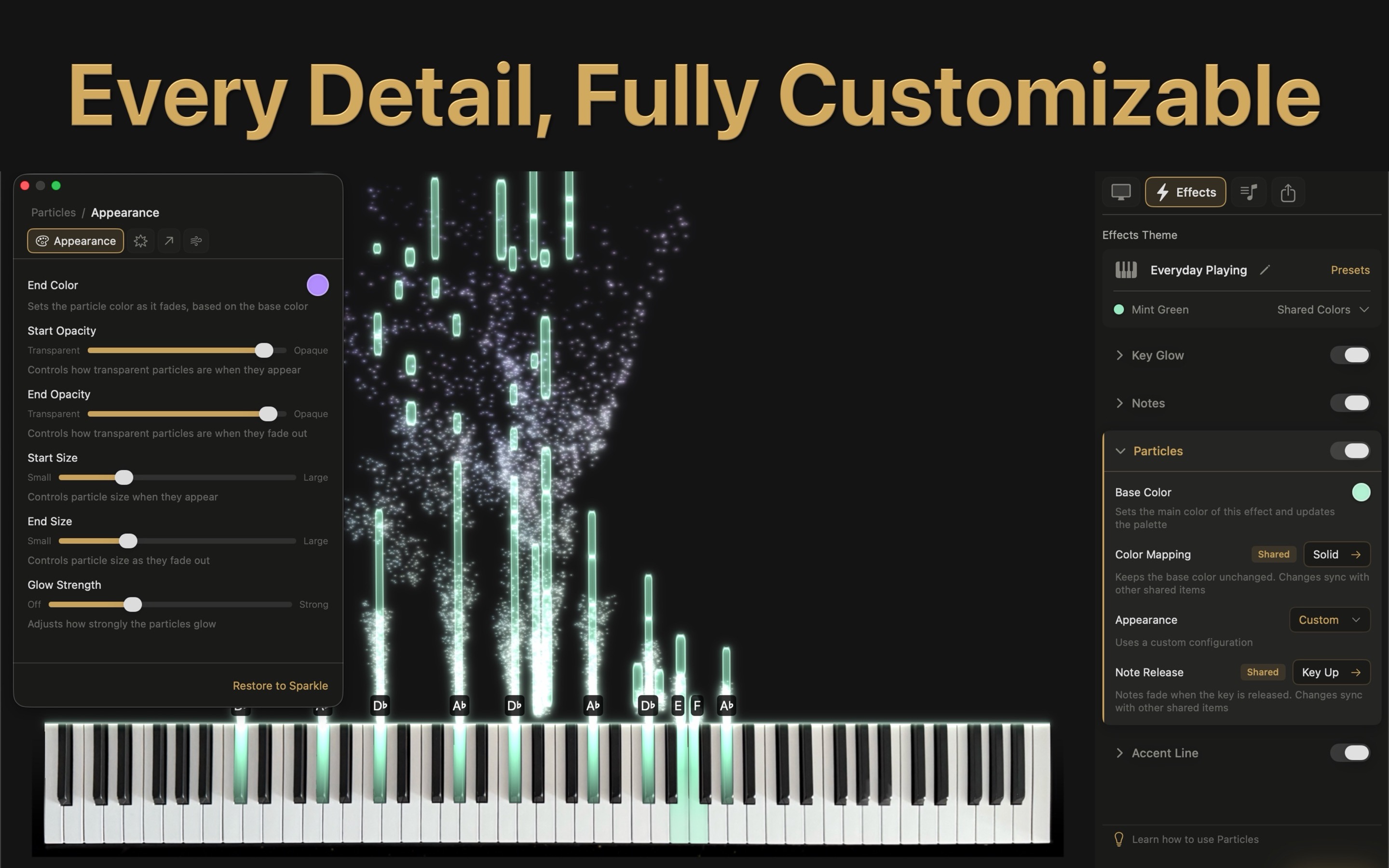
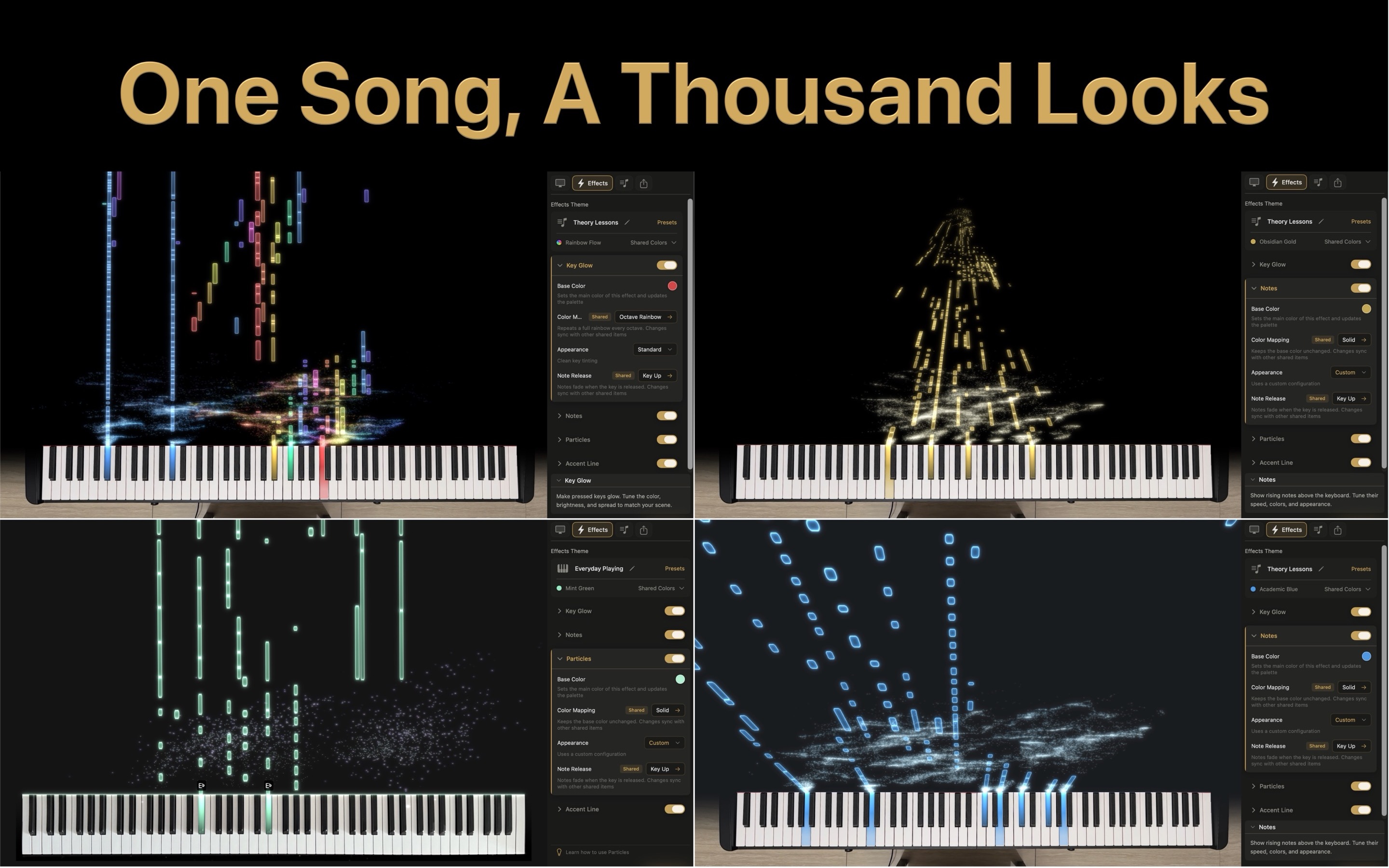
Switch presets or keep refining colors, mappings, key lights, falling notes, and particles. Different scenes can use different visual styles.
Spark has no time limit, so you can try camera calibration, MIDI input, and real-time effects first. Upgrade to Pro when you need the full display range, theory panels, or playback of any MIDI file.
Subscriptions and purchases are handled through the App Store. Prices shown in the store apply.
Visiano currently supports macOS 12 or later and is free to download from the Mac App Store.
Yes. Choose the built-in virtual keyboard and use your computer keyboard or mouse to simulate playing, or use the MIDI player to view effects and music-theory information. Connect a camera and MIDI digital piano when you want effects to follow a real performance in real time.
Yes. Use the built-in macOS screen recorder, OBS, or another recording or streaming app to capture or broadcast the real-time view generated by Visiano.
Yes. Spark is free to download and has no time limit. Visiano includes a demo song; while it plays, all Pro features are unlocked for the full duration of the song.
Spark is free to use without a time limit. Pro unlocks the full effects range, music-theory panels, and playback of any MIDI file. Try Spark first and upgrade only if you need more.
Purchases, subscriptions, and refunds are handled through the App Store. Manage subscriptions in your macOS account settings, or request a refund through Apple's Report a Problem page.
